In March 2026, the Higher Penetration Testing Team identified several critical vulnerabilities in the nulled version of the “WPForms Pro” WordPress plugin. At that point, the compromised plugin had been downloaded and installed on more than 200,000 websites.
Despite previous and ongoing warnings about the dangers of using nullified plugins, many website administrators continue to do so, leading to risks such as data breaches, exploitation of API endpoints, and manipulation of website content.
For example, they may inject malware that can compromise your files, steal administrator credentials, or create unauthorized backdoors for hackers to exploit. Other common risks include redirecting users to malicious sites, inserting spam links, or even deleting important data from your website. These specific threats can result in financial loss, damage to reputation, and the loss of sensitive information for both site owners and their users.
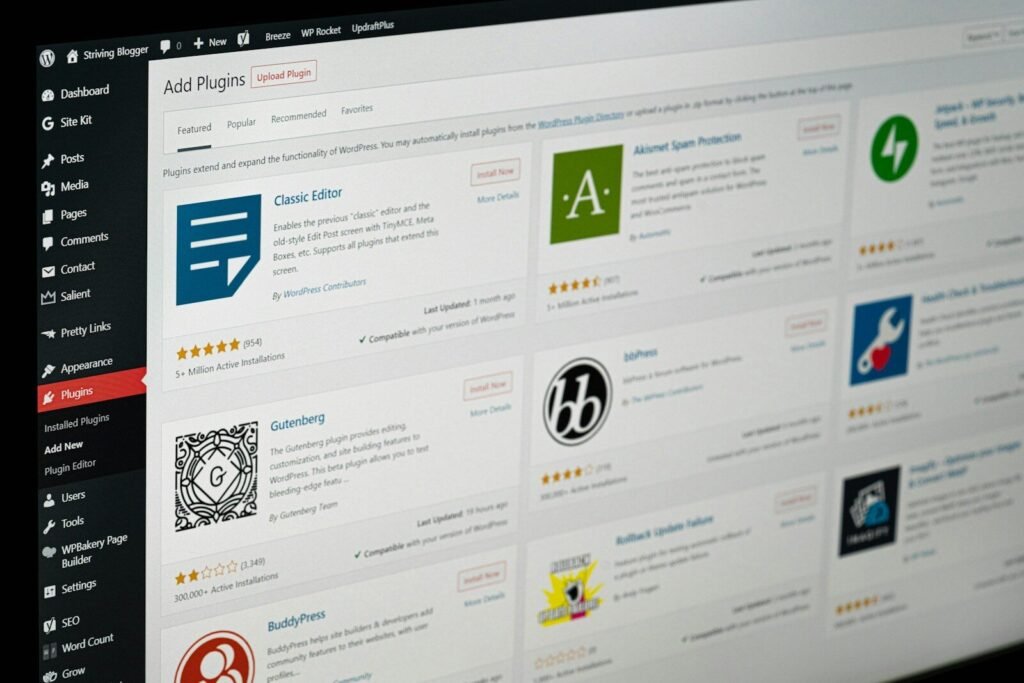
These nulled WordPress plugins are installed on more than 200,000 websites and are estimated to be growing rapidly. Many websites that sell or offer free WordPress plugins may use them to steal highly sensitive user data or carry out malicious activities. Such sites often target victims and later deny them access to services.
In the following screenshots, you can see the usage of users who are installed. There are more websites that are not currently indexed by Google. These websites identify that most of the potential vulnerabilities are hidden injections in them. However, our team tried to download extensions in these WordPress plugins, which helped us to identify what the actual issue was.

Some of the common WordPress plugins on websites:
| Plugin Name | Primary Use | Safe / Risk Level | Monthly Installs | Severity is Nulled |
|---|---|---|---|---|
| WPForms Pro | Contact Forms (drag-and-drop, AI, payment integration) | Risk is null | 200,000+ | Critical |
| Yoast SEO | SEO optimization, readability analysis, XML sitemaps | Safe | 5,000,000+ | High |
| Wordfence Security | Firewall, malware scanner, login protection | Safe | 4,000,000+ | Critical if nulled |
| WooCommerce | Full eCommerce store, products, subscriptions | Safe | 5,000,000+ | High |
| Elementor | Page builder, drag-and-drop, responsive design | Safe | 5,000,000+ | Medium if nulled |
| UpdraftPlus | Backup & restore, cloud storage, migration | Safe | 3,000,000+ | High if nulled |
| Akismet Anti-Spam | Spam protection, auto-filtering | Safe | 5,000,000+ | Medium if nulled |
| WP Rocket | Caching & performance | Paid only | 1,000,000+ | High if nulled |
| Rank Math SEO | SEO, AI tools, WooCommerce SEO | Safe | 1,000,000+ | Medium if nulled |
| Jetpack | Security, performance, CDN, backups | Safe | 5,000,000+ | High if nulled |
| Smush | Image optimization, lazy loading | Safe | 1,000,000+ | Medium if nulled |
| Contact Form 7 | Simple contact forms, shortcode-based | Safe | 5,000,000+ | High if nulled |
Legend for Severity:
- Critical → Full site compromise possible (admin takeover, malware injection, API & JWT exploitation)
- High → Sensitive data exposure, backdoor potential
- Medium → Performance issues, spam injection, minor data risks
Here is the example of vulnerable WordPress null plugin code that can be a possibility. It exists on your website if you have installed it from an unverified source
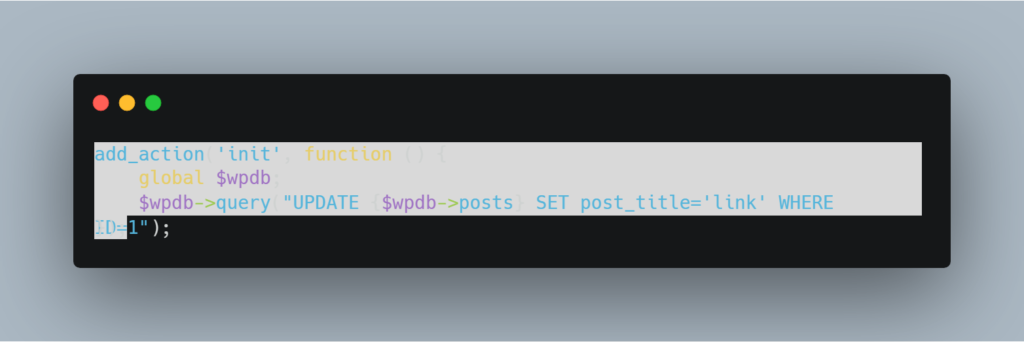
To determine if your WordPress plugin is compromised or being accessed by a hacker, programming knowledge or expertise in quality assurance or penetration testing is important. If you lack this technical background, consult a penetration tester or quality assurance professional for guidance.
If you discover a plugin on your WordPress website that poses a threat, patch it immediately. Contact the official company, obtain the latest version, and install it. Installing versions from other online sources can still be risky.
All these nullified plugins, which can be highly vulnerable to vulnerabilities, invite a variety of vulnerabilities. including cross-site scripting, SQL injection, API broken authentication backdoors, object-level injections, JWT leakage, source code leakage, etc.
The best and most advised method for installing a secure WordPress plugin is to do so straight from the WordPress plugin store.
There are multiple plugins available in the market for preventing external and internal attacks. However, these plugins often work with the techniques, but sometimes they do not. The best practice is to identify the potential vulnerabilities in the plugin by hiring a professional team that can help you identify vulnerabilities in your architecture.